Enriching SIEM Alerts with RunZero Asset Data via Cribl
Polling the RunZero REST API hourly with Cribl to stream asset inventory into a SIEM, giving an MSSP the context needed to triage alerts accurately.
Architecture Overview
+---------------------+                        +---------------------+                        +---------------------+
|                     |   REST API (hourly)     |                     |                         |                     |
|   RunZero           | <--------------------- |   Cribl Stream      |   Asset inventory       |   SIEM              |
|   Console           |                        |   REST Collector    | ----------------------> |                     |
|                     |   assets.json export   |                     |                         |   Alert enrichment  |
+---------------------+                        +---------------------+                        +---------------------+
Background
Our MSSP monitors security alerts on our behalf, but their analysts only see raw network telemetry - IP addresses, ports, and timestamps. Without asset context, a benign IP can look threatening. That gap surfaced when the MSSP alerted on an internal IP that appeared to be password spraying across the LAN. In isolation, the traffic pattern fit the detection logic perfectly. Looking the IP up in RunZero, however, showed it was a load balancer fronting several internal web applications. The repeated authentication attempts were application health checks, not an attack.
The problem was not the detection - it was the missing context. The MSSP had no way to know what owned that IP. RunZero maintains a continuously updated inventory of every asset on the network, including hostnames, hardware type, OS, services, and assigned roles. Getting that inventory into the SIEM as a reference dataset would let analysts and automated enrichment rules resolve an IP to its owner before escalating.
The solution was to use Cribl Stream’s REST collector to poll the RunZero export API on an hourly schedule and forward the results downstream to the SIEM.
Implementation
01 – Generate a RunZero export token
In the RunZero console, navigate to Account -> API Tokens. Under Export tokens, generate a new token. Export tokens are read-only and scoped to asset inventory export - they cannot modify data or trigger scans, making them safe to use in an automated pipeline. Copy the token; it will only be shown once.
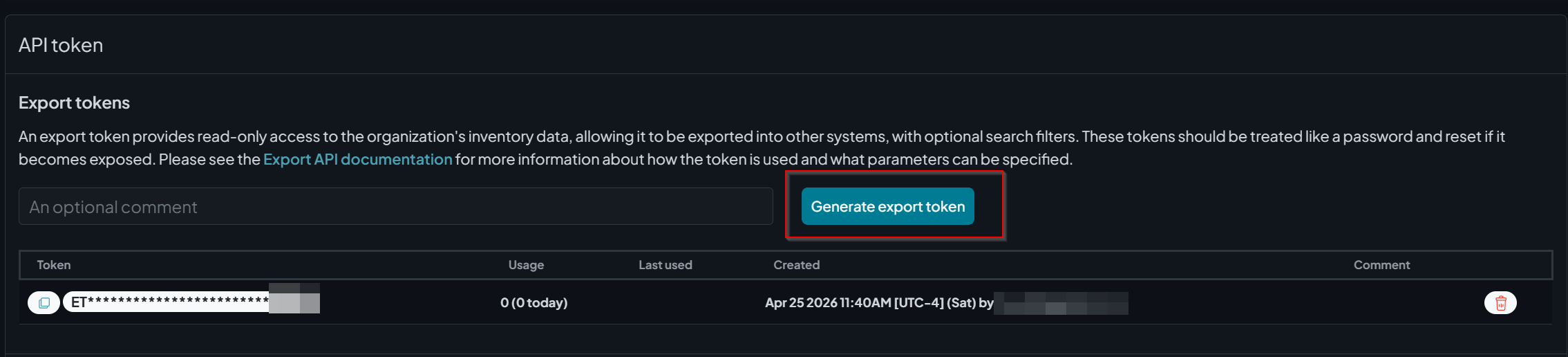
RunZero export token generation – tokens are read-only and scoped to inventory export
02 – Locate your Organization ID
In the RunZero console, navigate to Global Settings -> Organizations. The organization ID (_oid) is visible in the settings gear for each org, or it can be extracted from the URL when viewing the org. This value is required as a query parameter on the export endpoint.
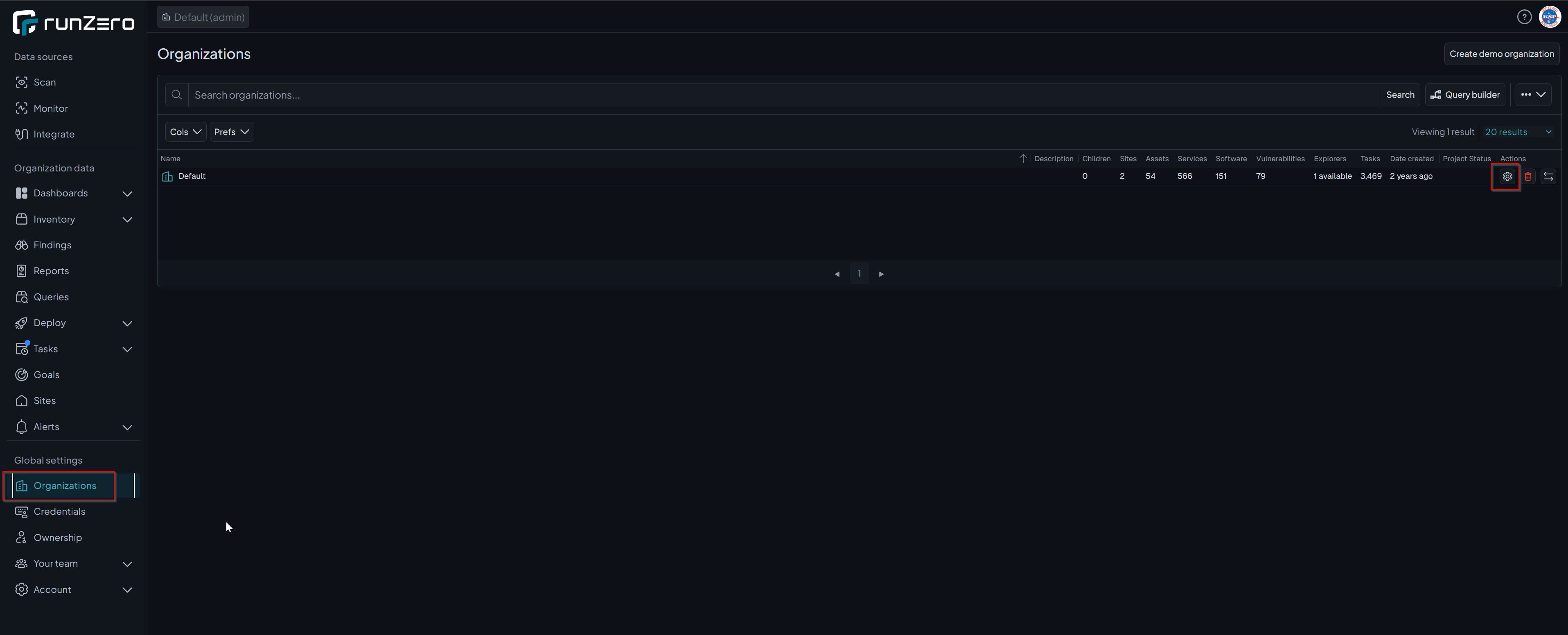
RunZero Organizations – the org ID needed for the API query parameter is accessible from this view
03 – Create a REST Collector in Cribl Stream
In Cribl Stream, go to Sources -> Collectors -> REST and create a new collector with the following configuration:
- Collector ID:
runzero_assets - Collect URL:
`https://console.runzero.com/api/v1.0/export/org/assets.json?_oid=YOUR_ORG_ID` - Collect method: GET
- Collect headers:
Name Value Authorization `Bearer YOUR_EXPORT_TOKEN` - Pagination: None
- Authentication: None (token is passed via header)
Note: The URL and Authorization value are wrapped in backticks because Cribl evaluates them as JavaScript template literals. This allows environment variable references like
`Bearer ${C.env.RUNZERO_TOKEN}`if you prefer to store the token as a Cribl environment variable rather than inline.
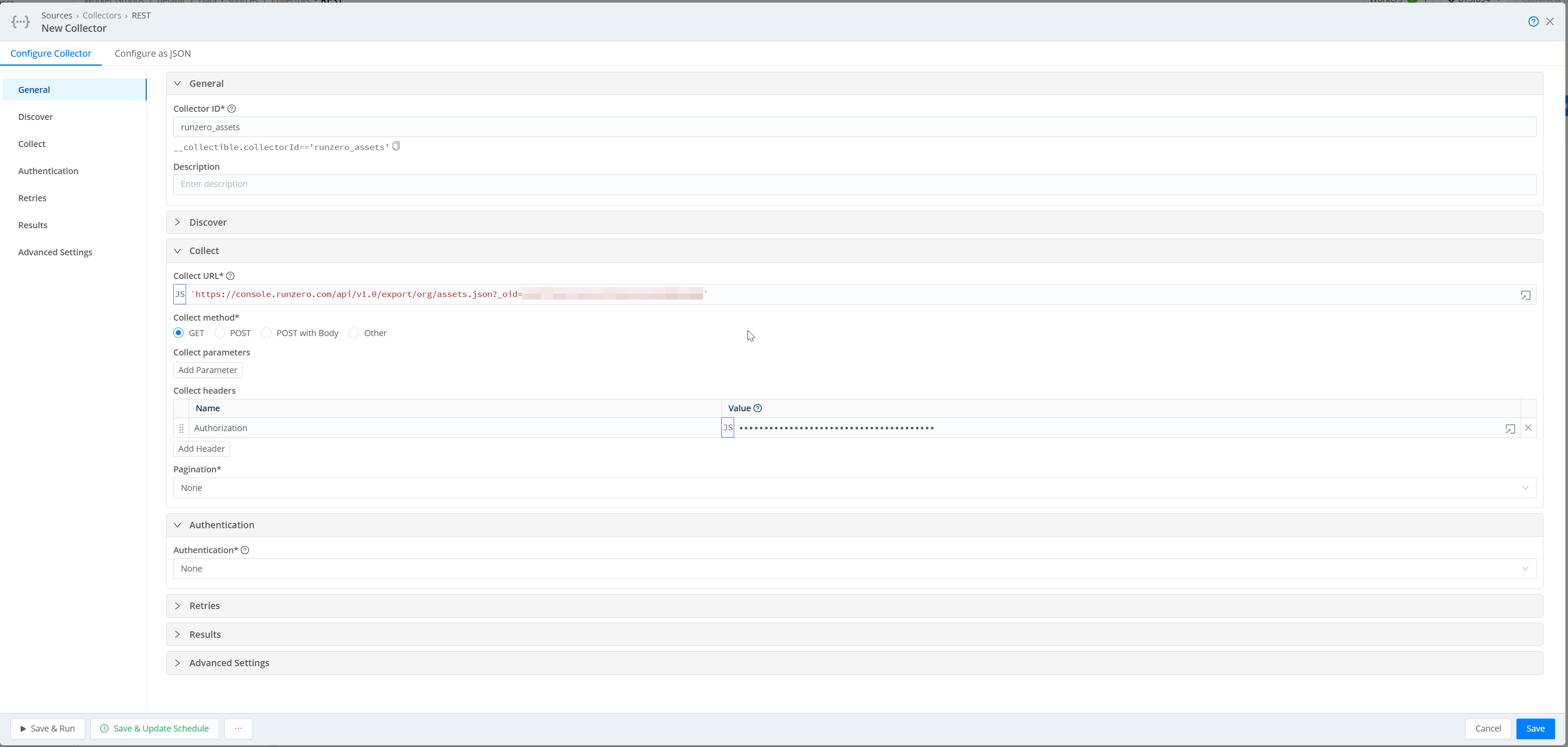
Cribl REST collector config – collect URL with org ID query parameter and Bearer token auth header
04 – Set the log type metadata (Google Chronicle)
Under the collector’s Input settings, add a metadata field to tag events with a log type. This field is specific to Google Chronicle - it tells the Chronicle ingestion pipeline which parser to apply to incoming events. Without it, Chronicle will not know how to categorize the data.
| Name | Value |
|---|---|
__logType |
'RUMBLE_NETWORK_DISCOVERY' |
If your SIEM is not Chronicle, skip this step or replace __logType with whatever field your destination uses for source identification.
05 – Schedule the collector
Open the collector’s schedule settings and configure it to run hourly:
- Cron schedule:
0 * * * * - Mode: Full Run
- Skippable: Enabled (drops the run if the previous one is still in progress)
- Max concurrent runs: 1
This ensures a fresh snapshot of the asset inventory lands in the SIEM every hour without overlap.
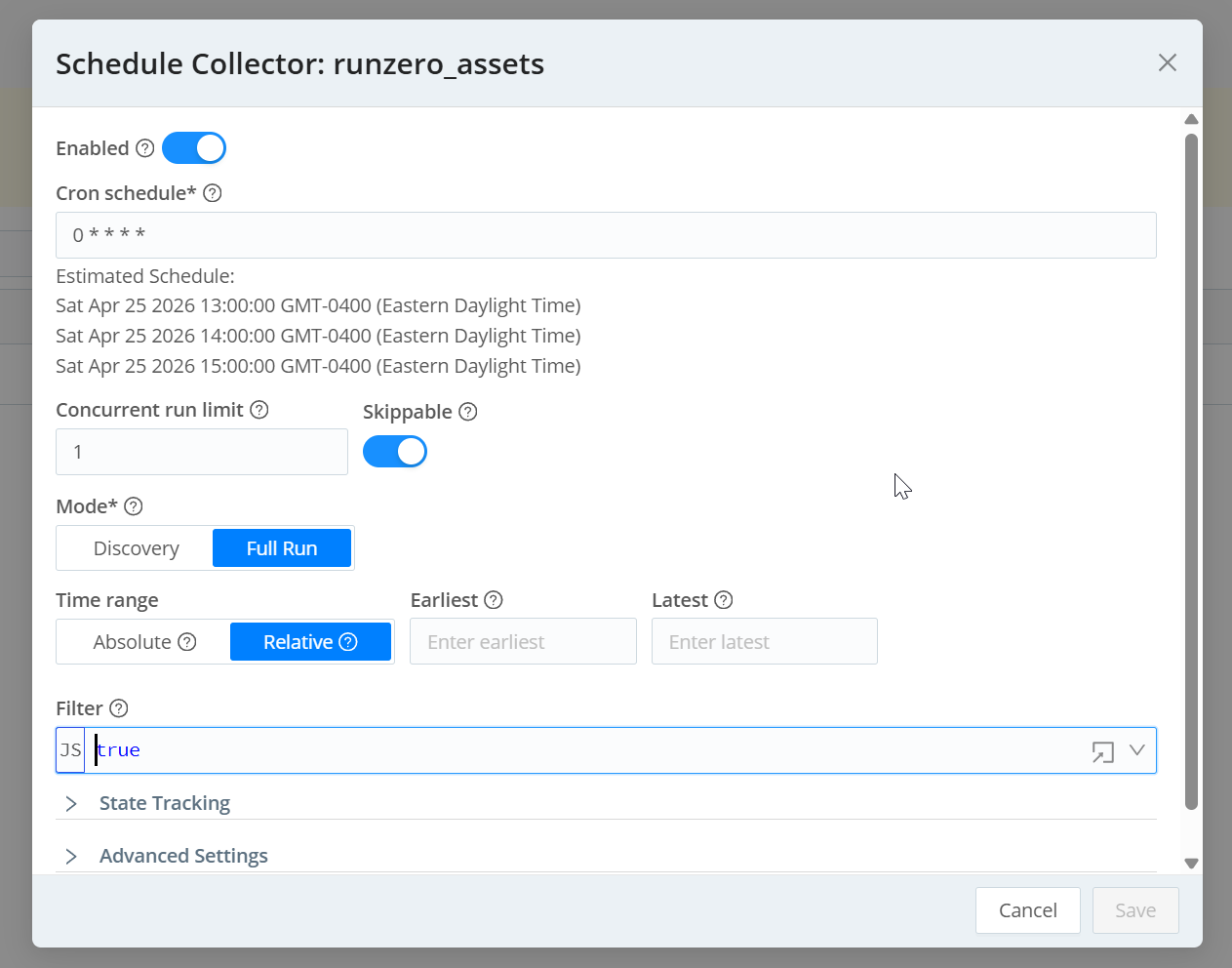
Collector schedule – hourly cron, Full Run mode, skippable to prevent overlapping runs
06 – Route to the SIEM destination
In Cribl’s pipeline routing, apply any desired transformations - field renaming, filtering to specific asset types, removing unused fields to reduce ingest volume - then route events tagged RUMBLE_NETWORK_DISCOVERY to the appropriate SIEM destination.
Collector Configuration (JSON)
The full collector definition, ready to import via Configure as JSON in Cribl:
 1{
 2  "type": "collection",
 3  "ttl": "4h",
 4  "collector": {
 5    "type": "rest",
 6    "conf": {
 7      "collectUrl": "`https://console.runzero.com/api/v1.0/export/org/assets.json?_oid=YOUR_ORG_ID`",
 8      "collectMethod": "get",
 9      "collectRequestHeaders": [
10        {
11          "name": "Authorization",
12          "value": "`Bearer YOUR_EXPORT_TOKEN`"
13        }
14      ],
15      "pagination": { "type": "none" },
16      "authentication": "none",
17      "timeout": 1800,
18      "disableTimeFilter": true,
19      "stopOnEmptyResults": true,
20      "retryRules": {
21        "type": "backoff",
22        "interval": 1000,
23        "limit": 5,
24        "multiplier": 2,
25        "maxIntervalMs": 20000,
26        "codes": [429, 503],
27        "enableHeader": true,
28        "retryHeaderName": "retry-after"
29      }
30    }
31  },
32  "schedule": {
33    "cronSchedule": "0 * * * *",
34    "maxConcurrentRuns": 1,
35    "skippable": true,
36    "enabled": true,
37    "resumeMissedRuns": true
38  },
39  "input": {
40    "type": "collection",
41    "metadata": [
42      { "name": "__logType", "value": "'RUMBLE_NETWORK_DISCOVERY'" }
43    ]
44  },
45  "id": "runzero_assets"
46}
Replace YOUR_ORG_ID and YOUR_EXPORT_TOKEN before importing.
Why This Approach Works Well
RunZero’s export API is intentionally lightweight - a single authenticated GET returns the full asset inventory as JSON with no pagination required for most environments. Cribl’s REST collector handles retries, backoff on rate limiting, and scheduling natively, so there is no custom script or scheduled task to maintain. The data lands in the SIEM with a consistent log type tag, making it straightforward to build lookup tables or enrichment rules that join alert fields on IP or MAC address.
The hourly cadence balances freshness against ingest cost. Asset inventory does not change by the minute, so polling more frequently would increase SIEM storage costs without meaningfully improving enrichment quality.
Outcomes
| Data source | RunZero asset inventory (all assets, all sites) |
| Collection method | Cribl REST Collector polling RunZero Export API |
| Schedule | Hourly (0 * * * *) |
| Auth | RunZero export token passed via Authorization header |
| SIEM benefit | Analysts and enrichment rules can resolve any IP to hostname, asset type, and owner |