Proxmox Backup Server: VM-Based PBS with Unraid NFS and Offsite Sync
For a while, my Proxmox Backup Server (PBS) ran on a dedicated bare-metal machine – reliable, but one more box humming away on the shelf. As part of a broader effort to consolidate my homelab, I decided to move PBS into a VM on one of my existing Proxmox nodes. The catch: I still wanted my local Unraid NAS to serve as the primary backup datastore, which isn’t something PBS supports out of the box. And on top of that, I wanted a second copy synced offsite to a second Unraid server at a different location for a proper offsite backup tier.
This post covers how I pulled all of that off – from the VM setup, through the NFS datastore configuration, to the offsite sync job running automatically.
The Setup
My cluster runs three Proxmox nodes (pve1, pve2, and pve3). PBS now lives as VM 107 (pbs) on pve3, with 2 vCPUs and 4 GiB of RAM. It’s been up for over 61 days without issue. Memory usage sits around 86% under load, which is something I’ll keep an eye on, but it hasn’t caused problems.
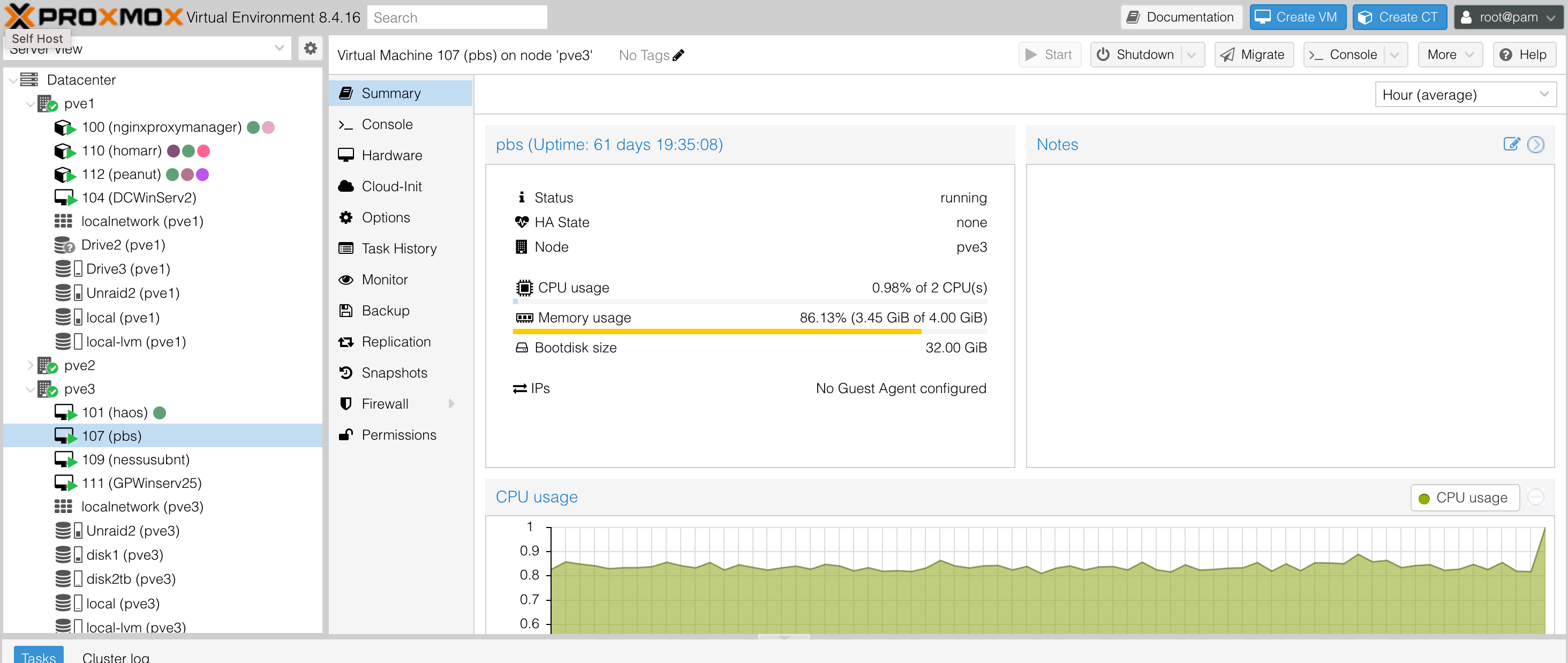
VM 107 (pbs) on pve3 – 61 days uptime, 86% memory usage on 4 GiB
The overall backup architecture has two tiers:
- Primary (local): My main Unraid server (running 7.2.1) hosts the
Unraid2datastore over NFS. It currently holds 4.91 TB of an 11 TB pool – 44.61% full, with a deduplication factor of 5.58. - Secondary (offsite): A second Unraid server at a different location hosts the
XR500datastore. PBS runs a pull sync job fromUnraid2toXR500, keeping an offsite copy of all backups automatically.
Why NFS over SMB?
PBS requires very specific filesystem permissions on its datastore directory – the backup user needs to own the mount point, and the permissions have to be set just right. NFS makes this possible in a way that SMB/CIFS does not, since NFS preserves Unix-style ownership and permissions across the mount. SMB would require workarounds that are fragile and unsupported.
Performance was also a factor. NFS generally has lower overhead for sequential reads and writes compared to SMB in a Linux-to-Linux context, which matters when you’re streaming large VM backups.
Creating the NFS Share on Unraid
On the Unraid side, I created a new share called pbs_backup_nfs specifically for PBS. Under the NFS Security Settings, I configured it to export with Private security, and added a rule restricting access to the PBS VM’s IP only:
<PBS_IP>(rw,sec=sys,no_root_squash)
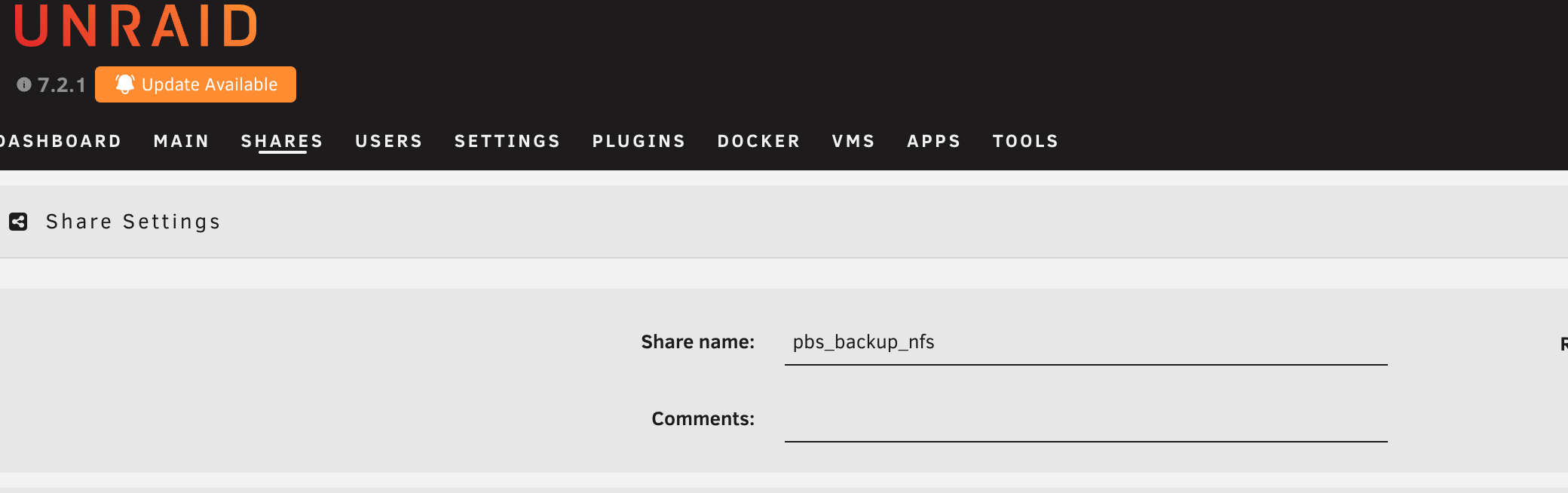
The pbs_backup_nfs share in Unraid, configured for NFS export
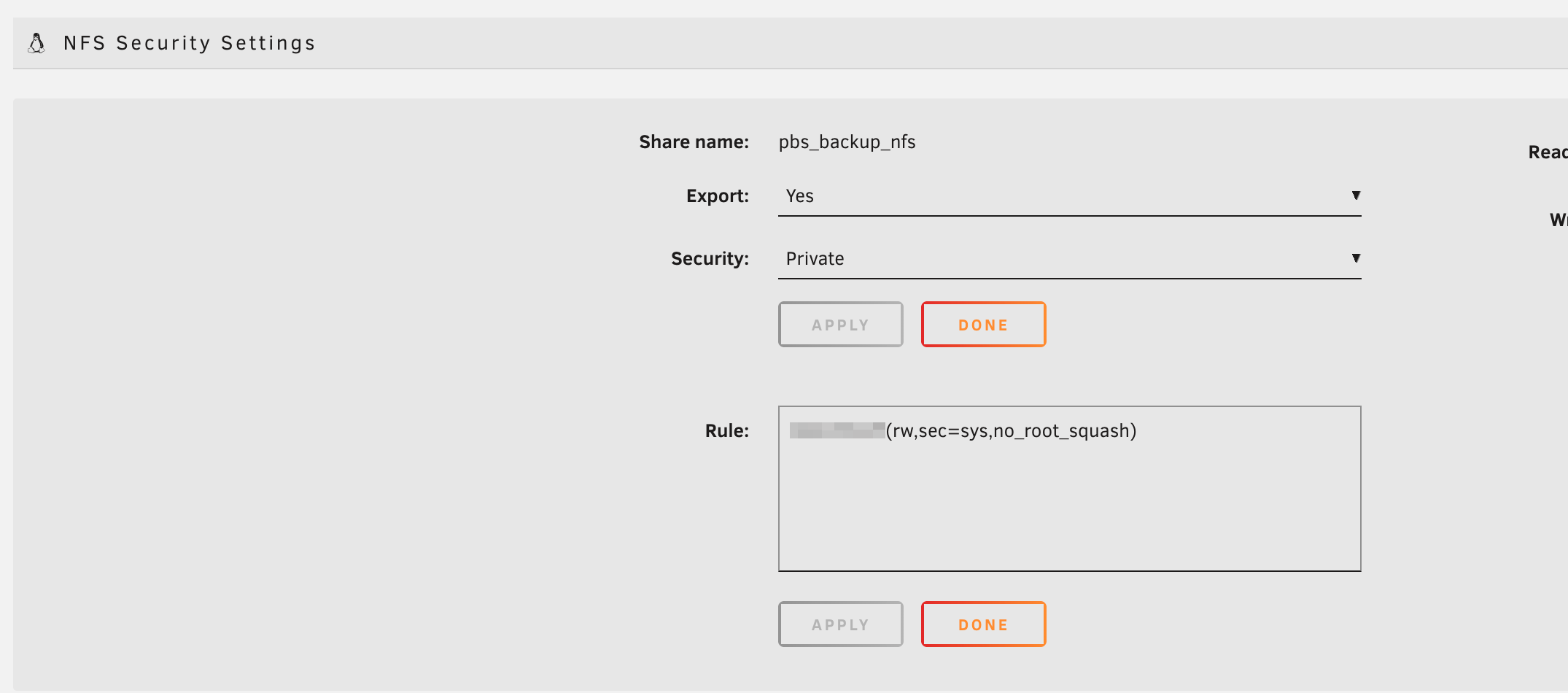
NFS Security Settings – Private export locked to the PBS VM IP, with no_root_squash enabled
The no_root_squash option is important here – PBS runs its datastore operations as the backup user, and without it the permission mapping breaks. Locking the export down to just the PBS IP keeps it off-limits to everything else on the network.
Mounting the NFS Share on PBS
Inside the PBS VM, I installed nfs-common and created a mount point, then set the ownership carefully before mounting:
1apt update && apt install nfs-common
2mkdir /mnt/unraid2
3chown backup:backup /mnt/unraid2
4chmod 775 /mnt/unraid2
Getting this ownership right before adding it as a datastore is critical – PBS will refuse to use a directory it doesn’t own. I then added the mount to /etc/fstab for persistence across reboots and mounted it.
The key reference I used for this was Derek Seaman’s guide on using NFS with PBS, which – while written for Synology – covers the permission nuances that apply equally to Unraid.
Adding the Datastore in PBS
Once the NFS mount was live and permissions confirmed, I added it as a datastore in the PBS web UI. The Unraid2 datastore pointed to /mnt/unraid2 and was immediately usable.
Connecting PBS to Proxmox VE
Back in the Proxmox VE datacenter, I added the PBS instance as a storage backend under Datacenter -> Storage -> Add -> Proxmox Backup Server. This registers Unraid2 as a storage option across all three nodes in my cluster.
The connection uses PBS’s API with a dedicated user and password, plus the server’s TLS fingerprint to prevent MITM attacks. Nodes are set to unrestricted so any node can back up to it directly.
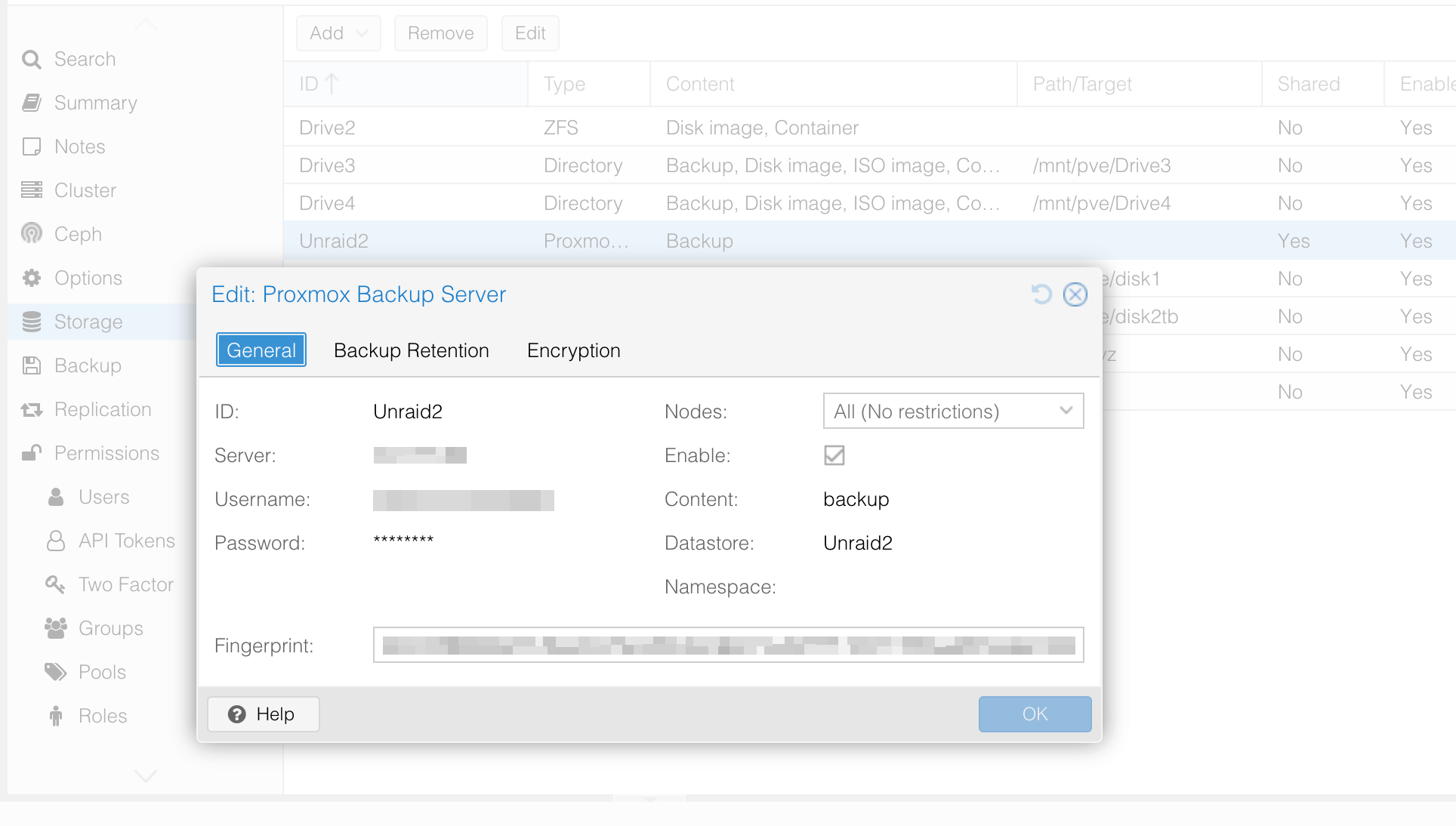
The Unraid2 PBS storage backend registered in Proxmox VE – fingerprint verified, all nodes enabled
Setting Up the Backup Job
With storage connected, I created a backup job under Datacenter -> Backup. The job is configured to:
- Run nightly at 21:00
- Target the
Unraid2datastore - Use Snapshot mode (no downtime, no suspend)
- Cover selected VMs and containers rather than everything
I’m not backing up every VM – lab machines and disposable containers aren’t worth the storage. The VMs I do back up are the ones that would hurt to rebuild:
- 100 – nginx Proxy Manager (LXC)
- 101 – Home Assistant (VM)
- 103 / 104 – Domain Controller VMs (
DCWinServandDCWinServ2) - 105 – Apache Guacamole (LXC)
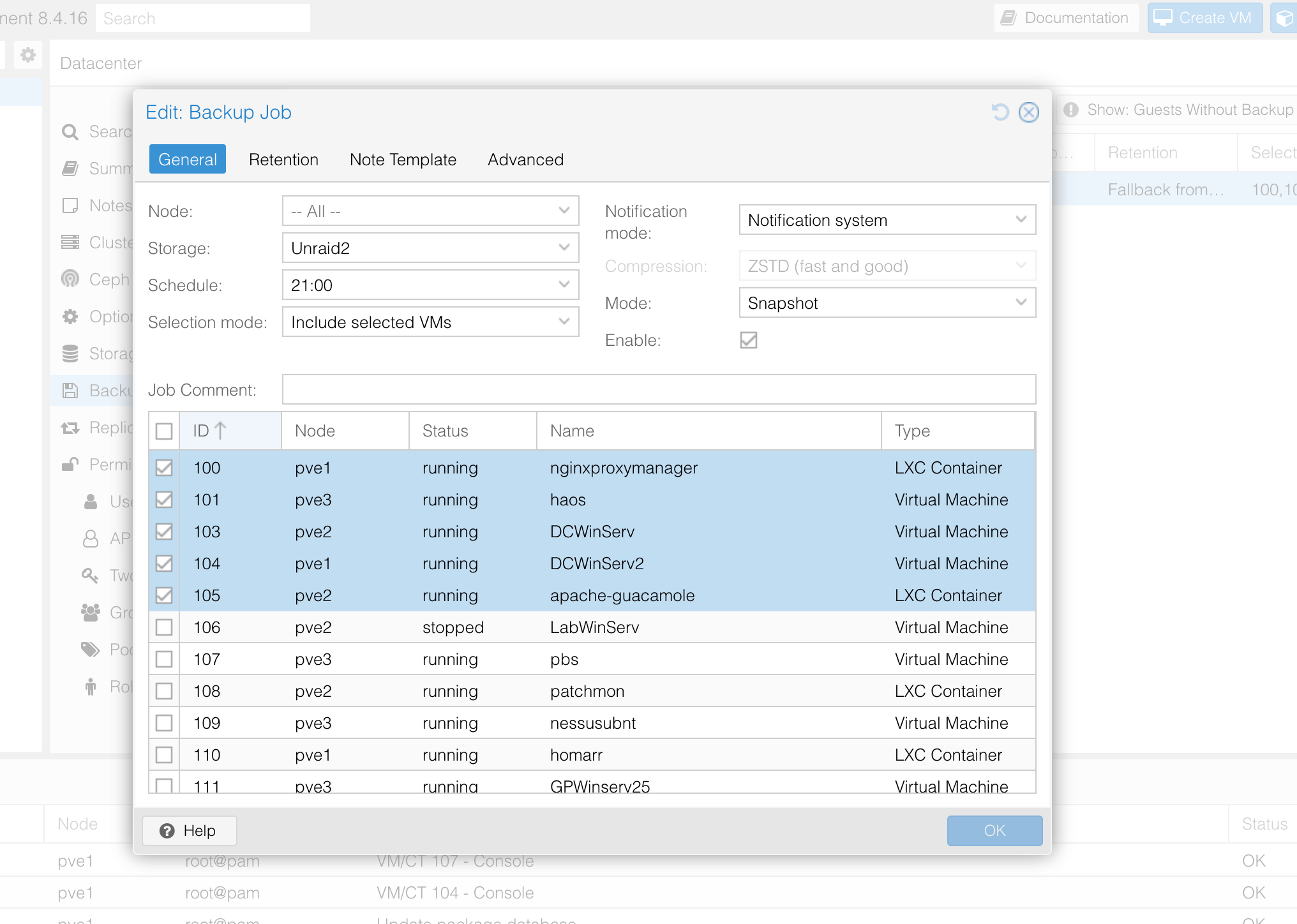
The nightly backup job – Snapshot mode, 21:00 schedule, targeting Unraid2, with only critical VMs and containers selected
Offsite Sync to XR500
This is where the setup goes from a good backup to a proper one. The XR500 datastore in PBS represents an NFS share on a second Unraid server at a completely separate physical location. PBS has a pull sync job configured on the XR500 datastore that pulls all backups from Unraid2 (the local primary) into XR500 (the offsite secondary).
The sync job is visible under Datastore -> XR500 -> Sync Jobs. It’s configured as a pull from the Unraid2 remote store, starting from the root namespace and syncing everything – all groups, all backup types (CT and VM). The direction is inbound to XR500, meaning XR500 reaches out and pulls from Unraid2, which is a safer model since it means the offsite server initiates the connection rather than the primary needing outbound access to push.
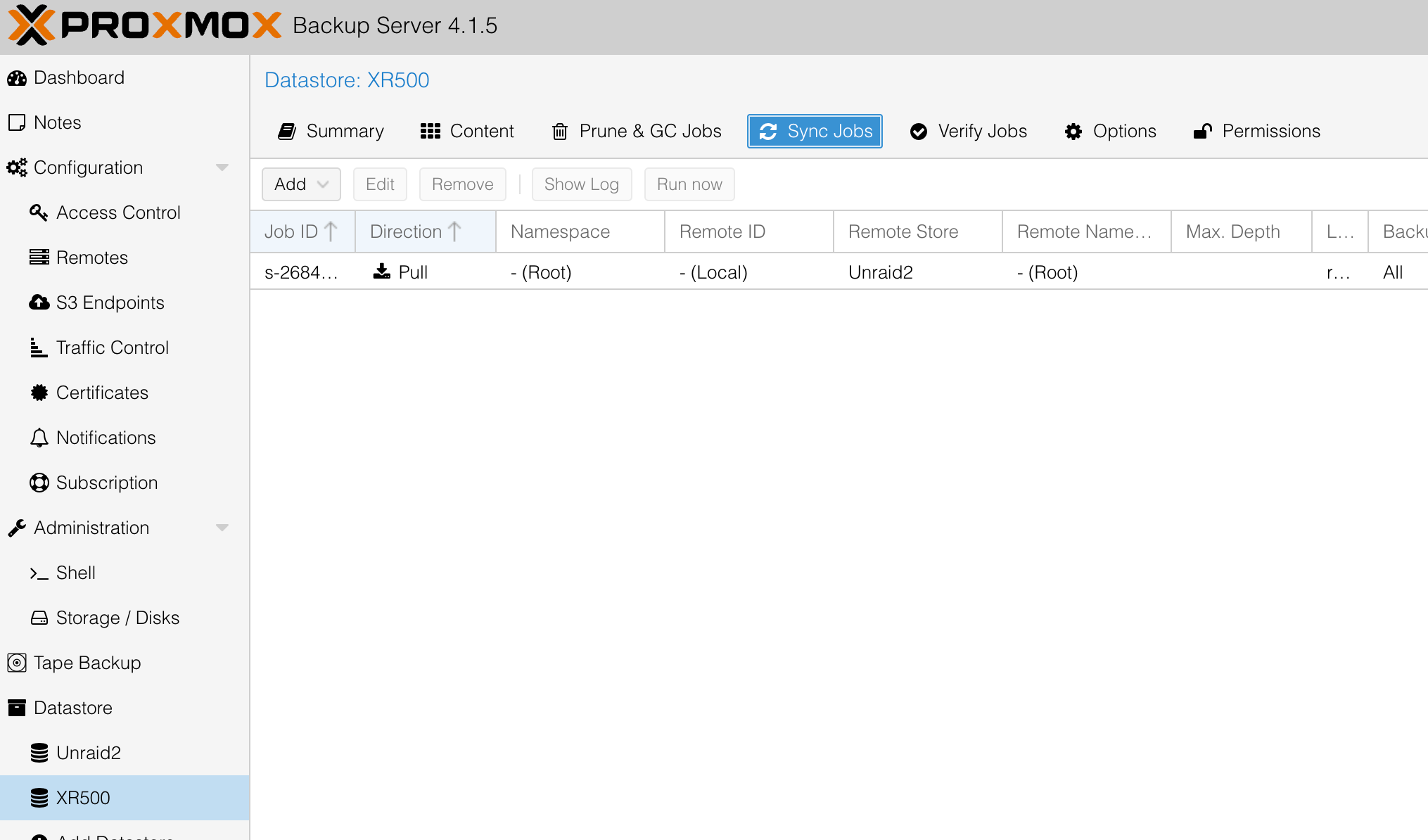
The XR500 datastore’s sync job – pulling from Unraid2 (remote store) into the offsite location automatically
The result is that every backup written to Unraid2 gets automatically replicated to the offsite XR500 server. Combined with PBS’s deduplication, the sync transfers only changed chunks rather than retransmitting full backups each time – so even over a slower connection between locations, the sync stays manageable.
This gives the setup a genuine offsite tier without needing a cloud subscription or a separate backup product. Both datastores are visible and manageable directly from the same PBS web interface.
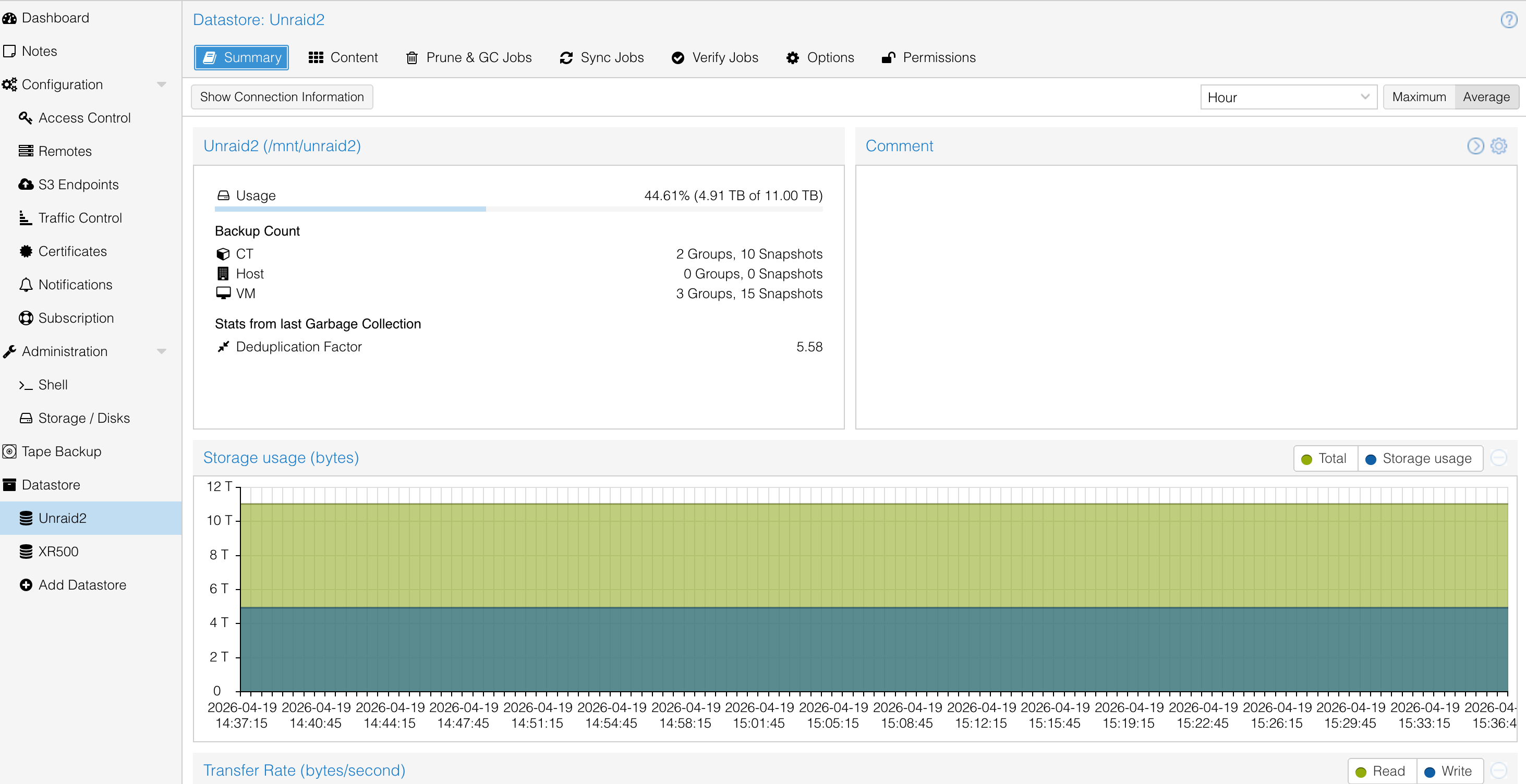
The Unraid2 datastore summary – 4.91 TB used of 11 TB, 5.58x deduplication factor, 2 CT groups and 3 VM groups
Current Status
Everything has been running smoothly. The PBS Unraid2 datastore shows:
- 5 backup groups across CTs and VMs (2 CT groups, 3 VM groups), with 25 total snapshots retained
- 5.58x deduplication factor – the Windows Domain Controller VMs share a lot of common blocks, so this isn’t surprising
- Nightly backup jobs completing without failures
- Offsite sync to
XR500running automatically after each backup cycle
The main thing I’m watching is the 86% memory usage on the PBS VM. If I add more VMs to the backup job I may bump it from 4 GiB to 6 GiB. For now it’s stable.
Takeaways
Running PBS as a VM works well. The consolidation means one fewer physical machine without losing any backup capability. The NFS-to-Unraid setup takes careful permission work upfront, but once it’s running it’s solid and transparent. Using Snapshot mode means backups run with no guest downtime, which matters for always-on services like Home Assistant and the domain controllers.
The offsite sync to XR500 is the part I’m most satisfied with. It requires no manual effort – PBS handles it automatically after each backup run – and it means a local disaster (drive failure, ransomware, accidental deletion) doesn’t take out my only copy. That’s the point of the whole setup.
If you’re trying to do something similar with Unraid instead of Synology, the process is the same. The NFS export options and the PBS-side mount permissions are what matter, not which NAS you’re using. Derek Seaman’s guide is worth reading even if you’re on Unraid – just substitute your share path and IP.